

Tai Chi - Be a force of nature
Virtual Seated Tai Chi class from home via Zoom Join us for approx. 40 mins. Tai Chi class. Limited number of
participants, & signed waiver required* (see below). Waiver prior to upcoming class.
Info to know:
Have a sturdy chair available.Please wear loose-fitting clothes & flat shoes suitable for exercise. Clear a space free from obstacles, rugs, (pets too) & camera view of you head to toe.
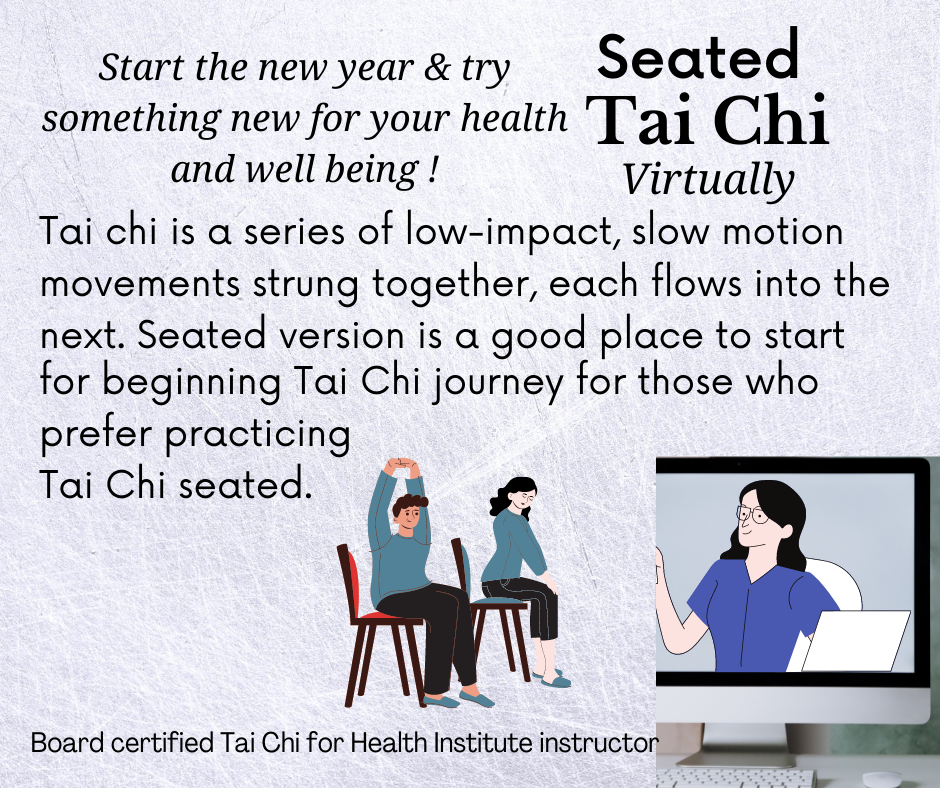
Tai Chi can help improve immunity, depression, anixety, tension & stress, as well as balance, & many other health benefits. Tai Chi can be a positive start for your journey to improving health & overall well-being. Tai chi is a series of low-impact, slow motion movements strung together, each flows into the next. Tai chi differs from other types of exercise. The movements are gentle, and is suitable for almost anyone and can be easily adapted for anyone's need. Tai chi is sometimes described as "meditation in motion" since it promotes tranquility through gentle movements - connecting the mind and body. With regular practice, tai chi can help improve health & flexibility, and help relieve pain & stiffness. It can also help improve quality of life, decrease stress, reduce high blood pressure, and develop tranquility & inner balance.
Have a sturdy chair available.Please wear loose-fitting clothes & flat shoes suitable for exercise. Clear a space free from obstacles, rugs, (pets too) & camera view of you head to toe.
Tai Chi can help improve immunity, depression, anixety, tension & stress, as well as balance, & many other health benefits. Tai Chi can be a positive start for your journey to improving health & overall well-being. Tai chi is a series of low-impact, slow motion movements strung together, each flows into the next. Tai chi differs from other types of exercise. The movements are gentle, and is suitable for almost anyone and can be easily adapted for anyone's need. Tai chi is sometimes described as "meditation in motion" since it promotes tranquility through gentle movements - connecting the mind and body. With regular practice, tai chi can help improve health & flexibility, and help relieve pain & stiffness. It can also help improve quality of life, decrease stress, reduce high blood pressure, and develop tranquility & inner balance.
Questions? email us: info @ pcswebpartner.com (Please include subject) Have a group wanting a Tai Chi class? Let us know.
Tai Chi
classes
at
Elevate in McCook
Elevate in McCook
Many have had questions regarding Windows 10 end of support. What does this mean? Below we are some of the frequently asked
questions from Microsoft's website. If you have Windows 10 and want to stay with it for now, please see the 3rd question below and if
you need more time option to see if that is right for you.
What is Windows 10 end of support?
Windows 10 will reach its end of support on October 14, 2025. After this date, Microsoft will no longer provide software updates, security fixes, or technical assistance to Windows 10 PCs.
What does the end of support mean for my Windows 10 PC?
After October 14, 2025, PCs running Windows 10 will continue to function, however it will no longer receive software and feature updates, security updates and fixes, or technical support. While your Windows 10 PC will continue to function, it will no longer receive regular security updates, making the device more vulnerable and susceptible to viruses and malware. Windows 10 PCs may also experience slower performance and functionality across the device and applications.
How do I ensure my device stays secure after Windows 10 end of support?
Support for Windows 10 ends on October 14, 2025. To stay protected:
-If your PC is eligible, upgrade to Windows for free via Settings > Privacy and Security > Windows Update.
-If your PC isn’t eligible or you’re ready for a new device, consider purchasing a Windows 11 PC.
-If you need more time, you can purchase a one-year Extended Security Updates (ESU) program is available on eligible Windows 10 PCs. Learn more here: https://www.microsoft.com/en-us/windows/end-of-support?r=1#FAQ3
Will my Microsoft 365 apps be supported when Windows 10 reaches end of support?
Support for Windows 10 will end on October 14, 2025. After that date, if you're running Microsoft 365 Apps on a Windows 10 device, the applications will continue to function as before. However, we strongly recommend upgrading to Windows 11 to avoid performance and reliability issues over time.In the interest of maintaining your security while you upgrade to Windows 11, we will continue providing security updates for Microsoft 365 on Windows 10 for a total of three years after Windows 10 end of support, ending on October 10, 2028.
If you have Microsoft Office products: How will the end of support for Windows 10 affect my Microsoft Office apps?
After October 14, 2025, support for non-subscription versions of Office will be affected in two ways:
-Office 2016 & 2019: Support ends across all operating systems.
-Office 2021, Office LTSC 2021: Will continue to run on Windows 10 but will no longer be supported. Support ends October 2026.
-Office 2024, Office LTSC 2024: Will run on Windows 10 but will not be supported.
To maintain a supported configuration, we recommend that you upgrade your device to Windows 11 and consider subscribing to Microsoft 365.
If your computer shows that Windows 11 version is ready for you to install, you can just complete the installation process.
->Reference website FAQs https://www.microsoft.com/en-us/windows/end-of-support?r=1
What is Windows 10 end of support?
Windows 10 will reach its end of support on October 14, 2025. After this date, Microsoft will no longer provide software updates, security fixes, or technical assistance to Windows 10 PCs.
What does the end of support mean for my Windows 10 PC?
After October 14, 2025, PCs running Windows 10 will continue to function, however it will no longer receive software and feature updates, security updates and fixes, or technical support. While your Windows 10 PC will continue to function, it will no longer receive regular security updates, making the device more vulnerable and susceptible to viruses and malware. Windows 10 PCs may also experience slower performance and functionality across the device and applications.
How do I ensure my device stays secure after Windows 10 end of support?
Support for Windows 10 ends on October 14, 2025. To stay protected:
-If your PC is eligible, upgrade to Windows for free via Settings > Privacy and Security > Windows Update.
-If your PC isn’t eligible or you’re ready for a new device, consider purchasing a Windows 11 PC.
-If you need more time, you can purchase a one-year Extended Security Updates (ESU) program is available on eligible Windows 10 PCs. Learn more here: https://www.microsoft.com/en-us/windows/end-of-support?r=1#FAQ3
Will my Microsoft 365 apps be supported when Windows 10 reaches end of support?
Support for Windows 10 will end on October 14, 2025. After that date, if you're running Microsoft 365 Apps on a Windows 10 device, the applications will continue to function as before. However, we strongly recommend upgrading to Windows 11 to avoid performance and reliability issues over time.In the interest of maintaining your security while you upgrade to Windows 11, we will continue providing security updates for Microsoft 365 on Windows 10 for a total of three years after Windows 10 end of support, ending on October 10, 2028.
If you have Microsoft Office products: How will the end of support for Windows 10 affect my Microsoft Office apps?
After October 14, 2025, support for non-subscription versions of Office will be affected in two ways:
-Office 2016 & 2019: Support ends across all operating systems.
-Office 2021, Office LTSC 2021: Will continue to run on Windows 10 but will no longer be supported. Support ends October 2026.
-Office 2024, Office LTSC 2024: Will run on Windows 10 but will not be supported.
To maintain a supported configuration, we recommend that you upgrade your device to Windows 11 and consider subscribing to Microsoft 365.
If your computer shows that Windows 11 version is ready for you to install, you can just complete the installation process.
->Reference website FAQs https://www.microsoft.com/en-us/windows/end-of-support?r=1